How to Create SAP Gateway Services?
Emre Göçmen
Author

Building robust and secure SAP Gateway OData services requires careful planning and implementation. This guide walks you through the essential steps from conceptualization to deployment and maintenance.
1. Prerequisites
Before you begin, ensure that:
• You have access to an SAP system with SAP NetWeaver Gateway installed
• You possess the necessary authorizations to create services
• Your system meets the minimum technical requirements
2. Define Your Data Model
Carefully determine what data you want to expose through your OData service. This is a critical planning step that will influence the entire implementation process.
Create or identify the data structures (entities) you want to expose. These could be:
• SAP Business Objects
• Database tables
• Custom data structures
3. Create or Configure SAP Gateway Project
Follow these steps to set up your project environment:
• Open the SAP Gateway Service Builder (transaction SEGW) in your SAP system
• Create a new project or select an existing one
• Configure project settings including namespace, data model, and connection settings
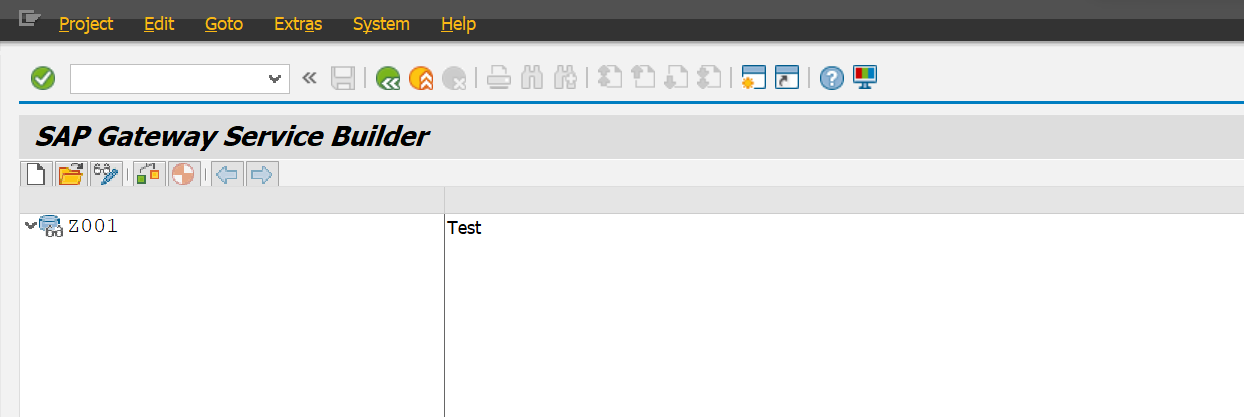
Figure 1: SAP Gateway Service Builder Interface
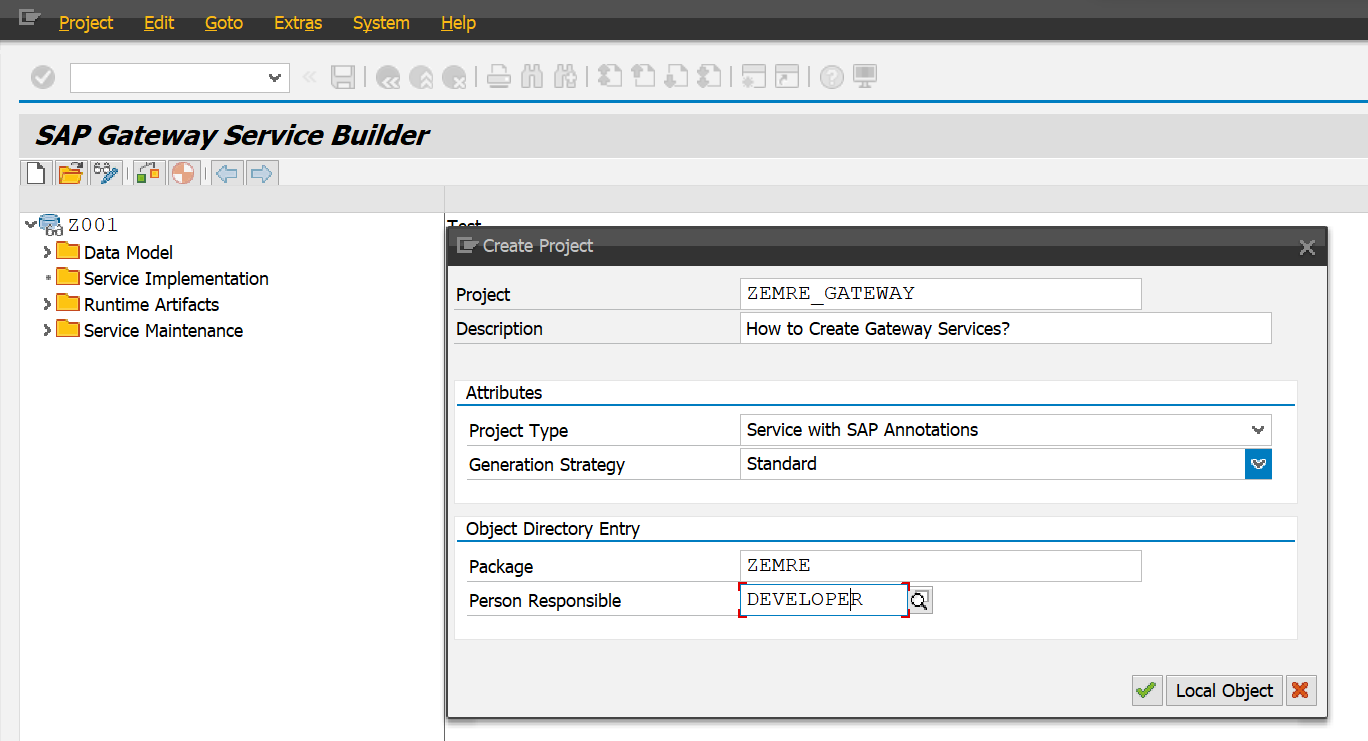
Figure 2: Project Configuration Screen
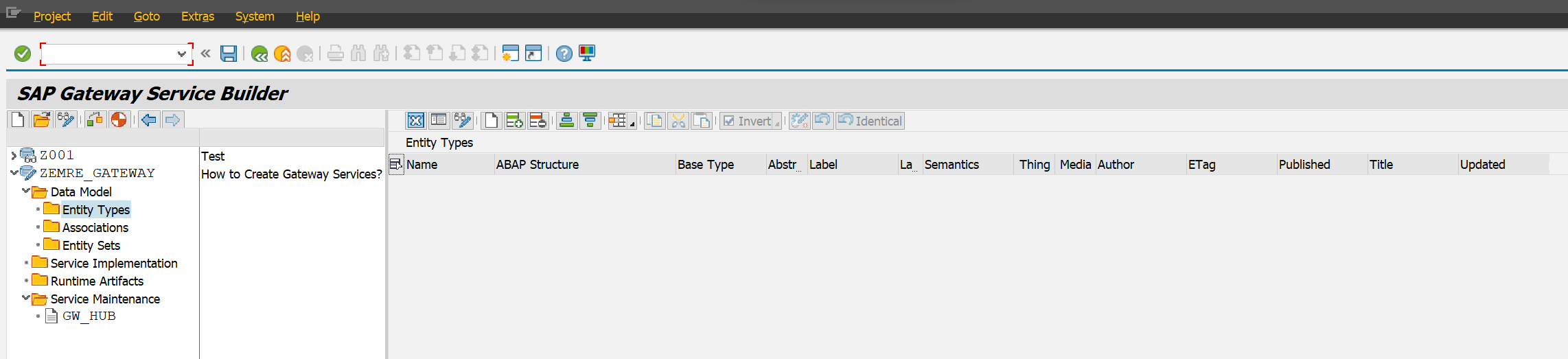
Figure 3: Entity Type Definition
4. Define Entity Types and Relationships
Entity types represent your data structures and form the backbone of your OData service. When defining them:
• Ensure they accurately reflect the data you want to expose
• Define appropriate properties with correct data types
• Establish relationships between related entity types when necessary
• Consider implementing navigation properties for easier data traversal
5. Create Service Methods
Service methods determine how clients interact with your data. For each entity type:
• Define which CRUD (Create, Read, Update, Delete) operations are supported
• Implement the business logic for each operation
• Consider query options and filtering capabilities
• Implement proper error handling and validation
6. Generate Runtime Artifacts
After defining your service methods:
• Generate the runtime artifacts, which include ABAP classes and metadata files
• Activate your service and verify there are no errors or warnings
• Implement any custom logic in the generated classes as needed
7. Test Your Service
Thorough testing is essential to ensure your service functions correctly:
• Use SAP Gateway Client or any OData client tool to test your service
• Verify that it correctly retrieves and processes data as expected
• Test all implemented CRUD operations
• Check for any performance issues or errors
• Consider implementing automated testing for critical functionality
8. Secure Your Service
Security should never be an afterthought. Implement robust security measures:
• Configure authentication mechanisms appropriate for your use case
• Implement authorization checks to ensure users can only access and modify data they're authorized for
• Consider implementing data validation and sanitization to prevent injection attacks
• Audit sensitive operations for compliance and security monitoring
9. Optimize and Monitor
Performance optimization ensures your service remains responsive under load:
• Monitor the performance of your OData service
• Identify and address bottlenecks
• Implement caching strategies where appropriate
• Keep your service updated with changes in the data model or business requirements
10. Documentation and Version Management
Comprehensive documentation is crucial for maintenance and onboarding:
• Document entity types, methods, and usage instructions
• Maintain API documentation for consumers of your service
• Consider version management if changes could impact existing clients
• Document known limitations and workarounds
11. Deployment
When your service is ready for production:
• Deploy your SAP Gateway service to a production environment
• Follow established change management procedures
• Ensure appropriate backup and disaster recovery procedures are in place
• Communicate the deployment to stakeholders and provide necessary training
12. Monitoring and Maintenance
Ongoing monitoring and maintenance ensure long-term success:
• Continuously monitor your service in the production environment
• Perform routine maintenance as needed
• Address issues or improvements based on user feedback
• Regularly review performance metrics and optimize as necessary
Creating SAP Gateway services can be a complex process requiring collaboration between SAP developers, business analysts, and administrators. With careful planning, thorough testing, and comprehensive documentation, you can build reliable and efficient OData services that meet your organization's needs.
Comments
No comments yet.
Be the first to comment.